

All Activity
- Past hour
-
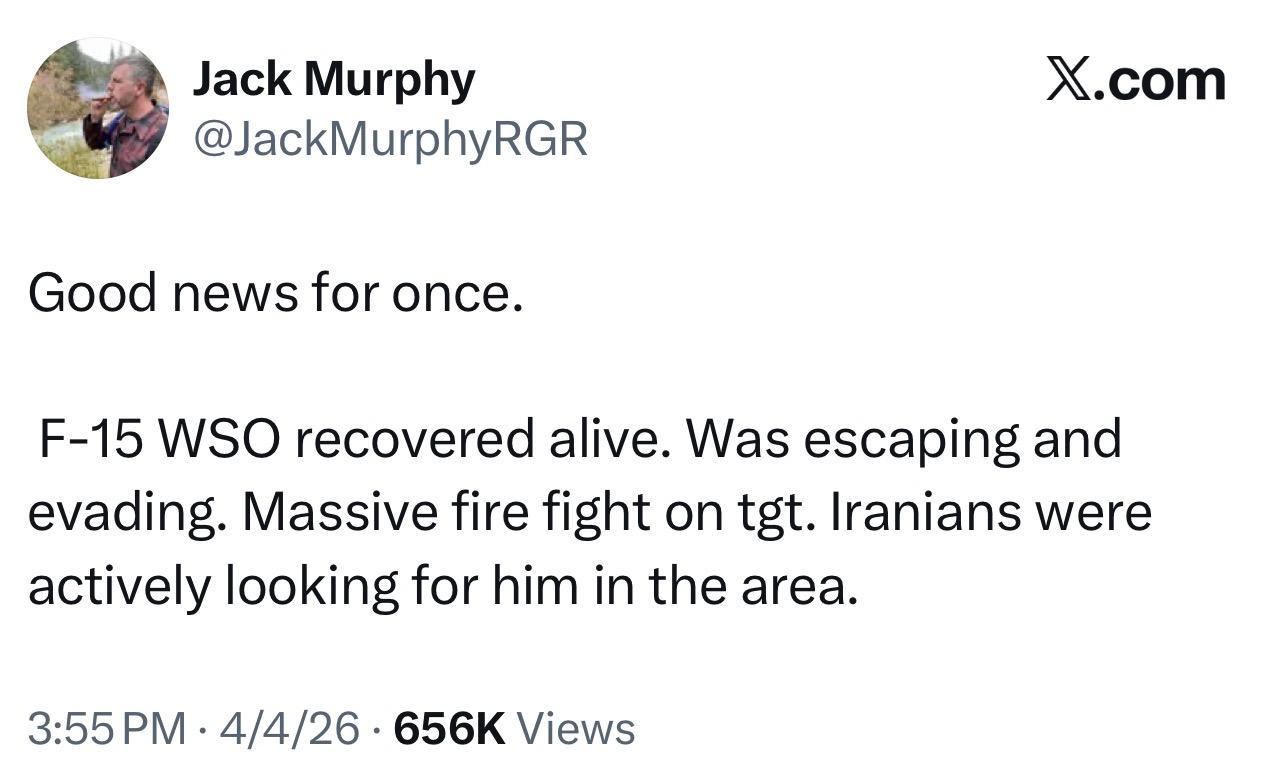
What I am told is they landed two MC-130Js with 2 X Little Birds each. Both MC-130Js got their nose wheels stuck in the sand. The little birds launched and one picked up the WSO. At the FARP they tried unsuccessfully to get the MC-130J's "unstuck" so they called in other assets from a supporting agency to pick up everyone. 3 X other smaller platforms came in and picked everyone up. USAF aircraft then bombed the 2 X MC-130J's and 4 x Little birds. We lost a couple of Reapers as well. True team effort.
- Today
I really want this outcome. So much. And I hope he can guest star at SERE with the story. Until then, the media can fuck off with their reporting. I was caught yelling at the computer when reporters were sharing that we had an MIA. That should not be in the news at all as all it does is tell Iran to hunt harder. WHAT THE FUCK!!What about someone who Bro rages workout selfies? Asking for Pete (or RFK).- Yesterday
Me lol, 3rd times the charm !Well the bar was set pretty low with Noem. At a baseline anyone who gets addicted to plastic surgery probably shouldn't be running a federal organization.















Account
Navigation
Search
Configure browser push notifications
Chrome (Android)
- Tap the lock icon next to the address bar.
- Tap Permissions → Notifications.
- Adjust your preference.
Chrome (Desktop)
- Click the padlock icon in the address bar.
- Select Site settings.
- Find Notifications and adjust your preference.
Safari (iOS 16.4+)
- Ensure the site is installed via Add to Home Screen.
- Open Settings App → Notifications.
- Find your app name and adjust your preference.
Safari (macOS)
- Go to Safari → Preferences.
- Click the Websites tab.
- Select Notifications in the sidebar.
- Find this website and adjust your preference.
Edge (Android)
- Tap the lock icon next to the address bar.
- Tap Permissions.
- Find Notifications and adjust your preference.
Edge (Desktop)
- Click the padlock icon in the address bar.
- Click Permissions for this site.
- Find Notifications and adjust your preference.
Firefox (Android)
- Go to Settings → Site permissions.
- Tap Notifications.
- Find this site in the list and adjust your preference.
Firefox (Desktop)
- Open Firefox Settings.
- Search for Notifications.
- Find this site in the list and adjust your preference.