

Leaderboard
-
SurelySerious
Supreme User4Points2,906Posts -
ClearedHot
Administrator3Points5,037Posts -
HU&W
Supreme User1Points1,846Posts -
skibum
Super User1Points236Posts




Popular Content
Showing content with the highest reputation on 05/31/2021 in all areas
-
4 pointsI think both the AF and FAA like to talk a good game about access to mental health for pilots, but I don’t trust them to not take flying status away.4 points
-
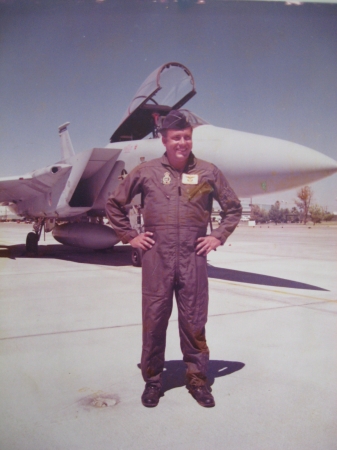
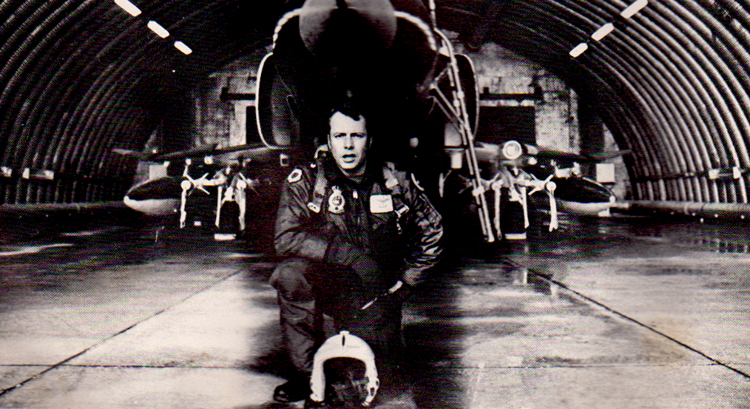
3 pointsI knew it was coming but it doesn't make it any easier and I don't have any words. Rest easy, no more pain. Thanks for teaching me a love of flying and service to our nation. 257 combat missions in Vietnam totaling 754 combat hours. 5 Distinguished Flying Crosses, 23 Air Medals, first pilot to achieve 1000, 2000, 3000 and 4000 hours in the F-4.
 3 points
 -
Why do I have the feeling that @waingro is maneuvering to be the Wing Zampolit?1 point
-
The car driven by #24 William Byron in today’s NASCAR race is dedicated to Cole. He’s been in the lead for the last few laps, and doing outstanding throughout he race. Fitting tribute.1 point
-
1 pointObit https://www.tallasseetribune.com/obituaries/alexander-howard-calkins-harwick/article_1d73c8c8-bffe-11eb-b13b-e320b57f59b3.html1 point
