Leaderboard
-
tac airlifter
Supreme User2Points2,052Posts -
brabus
Supreme User2Points4,864Posts -
DirtyFlightSuit
Registered User1Points136Posts -
matmacwc
Moderator1Points3,226Posts




Popular Content
Showing content with the highest reputation on 11/02/2017 in all areas
-
To lessen the impact described by crosswind, get out ASAP from AD. That means do not accept another assignment past your UPT ADSC, no matter how awesome it is. Your time to jump is ~11 years, do one more assignment and have 13 years in, you are far less marketable for reasons stated above (not unhirable by any means, just lowe chances/will have a tougher search). And whatever carrot AD waives to get you to do one more assignment is not worth missing out on the guard job you know you want IMO.2 points
-
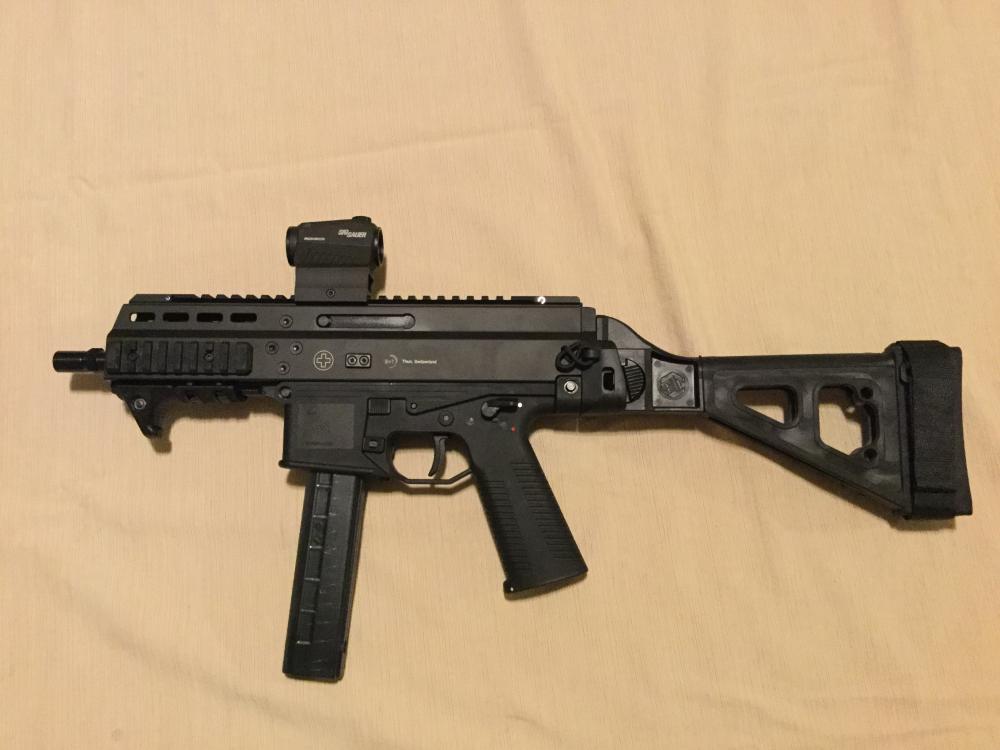
2 pointsJust brought this home today. I’d never heard of B&T until recently, did some online digging and found good reviews. I was in the market for something my daughter can easily shoulder and shoot so I grabbed this. Very nice engineering, I’m impressed.
 2 points
 -
1 pointBuddy of mine was a 8 yr AD B-1 Evaluator WSO and has been through the C-130 Nav course for Reserves, is currently deployed with C-130 and heads to UPT next June. Anything is possible. He'll be 36 at UPT.1 point
-
1 pointAt my board there were a couple that applied with no prior service and needed age waivers. I think one of them actually got it. The other guy was a coastie, I dunno if that counts as prior service but he got it too. All three of us needed the waiver though.1 point
-
1 pointSomewhat recently we went from Pucks to 100% TIMs, to Pseudo Pucks (depending on your flight) and now considering our TIMs issues (network totally gone to crap) we may be back to Pucks. Nice thing about old school, don't have to worry about network, windows 10 upgrades or other com crap...1 point
-
1 point