
Leaderboard
-
HossHarris
Supreme User1Points1,439Posts -
Learjetter
Supreme User1Points801Posts -
dream big
Supreme User1Points1,433Posts

.thumb.jpg.9c390ca8e6e624c0547abd6a3f6885b5.jpg)
Popular Content
Showing content with the highest reputation on 09/12/2017 in all areas
-
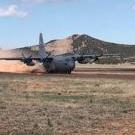
1 pointIf you want to build hours fast, 130s may not be the way to go, we sit on the ground a lot unloading/loading while deployed and guess how much time you are logging while on the ground?: zero. I can only speak to active duty but general consensus is 200-300 hours a year is considered good. Now if you want to go to some "interesting airfields," while performing airdrop and low levels..130s are where it's at.1 point
-
1 point
-
1 point