
Leaderboard
-
M2
Administrator7Points6,074Posts -
Spoo
Supreme User3Points955Posts -
ShavedDogsAss
Registered User2Points45Posts


Popular Content
Showing content with the highest reputation on 04/11/2016 in all areas
-
Today would have been Rich's 43rd birthday. Raise a glass to a warrior and great man, gentlemen... 'Till Valhalla, my friend! Cheers! M25 points
-
3 pointsWhat Huggy won't tell you: NoMo likes an additional UNOFFICIAL photo of the candidate in a speedo as well.3 points
-
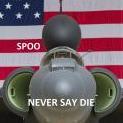
2 pointsI have nothing to add, other than not wanting to see that terrible suppository picture on my phone every time I open this app. So, here's a picture of Yeager's Starfighter instead.2 points
-
1 point
-
Three years on and you are still very much missed, Rich. We raise a glass in your honor, brother!1 point