Desayuno
Registered User
-
Joined
-
Last visited
-
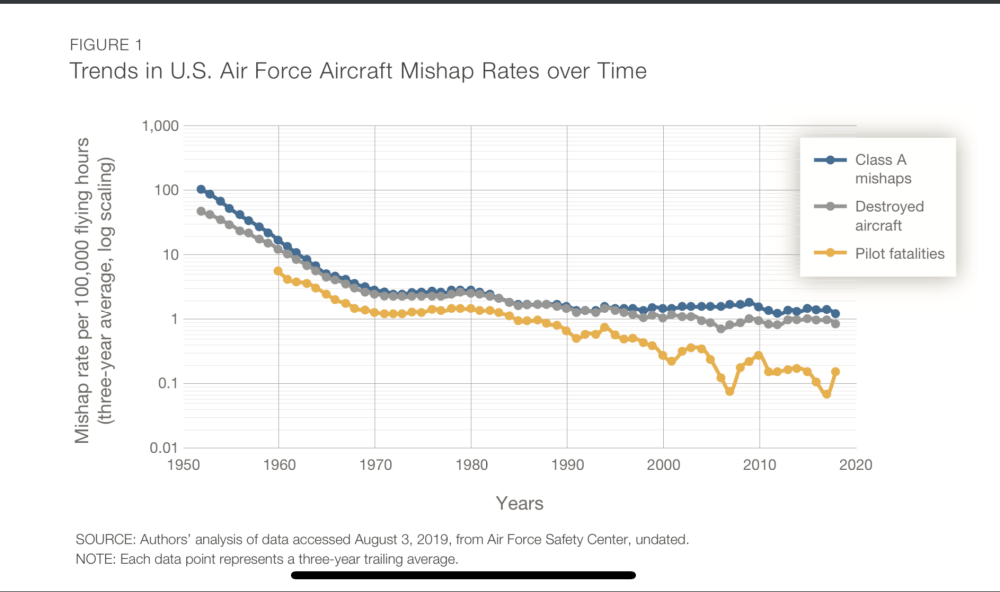
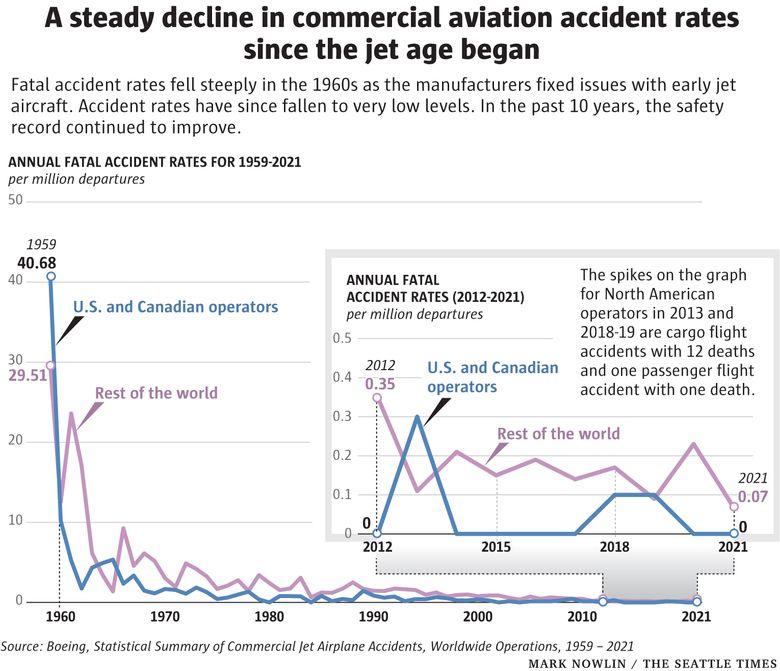
You’re right, we are incredibly ruthless about it. In some way it’s comforting knowing that these incidents are so rare that they do provoke outrage and a race to find better solutions. Imagine what living through 1960 would have been like in terms of military and civilian aviation incidents. Here’s a toast to the crews and passengers. 🍻 Fly safe out there.
-
If the picture is any indication we’ll all be wearing space cadet unis soon.
-
From his X profile. Sounds like a weirdo. My partners and I have been lifetime data scientists. We own the digital ID of every mobile device/computer in the U.S. and have indexed and archived every IP address in the world. Our extensive experience in big and deep data, including geotracking and geolocation makes our ….yada yada
-
Random but why hasn’t the USAF built many underground hangars like our colleagues in the desert?
-
This. If you're so determined to fly fighters that you'll enlist in a unit and do something very much not flying, why not go fly a 17 or a Herk?
-