Leaderboard
-
M2
Administrator3Points5,945Posts -
Gravedigger
Supreme User3Points932Posts -
Spartacus
Supreme User1Points222Posts -
LT4Life
Registered User1Points69Posts



Popular Content
Showing content with the highest reputation on 12/22/2014 in all areas
-
Merry Christmas, BaseOps! Cheers! M23 points
-
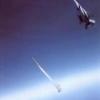
2 pointsSatellite hunting is probably the best use for an F-15A there is... https://en.wikipedia.org/wiki/ASM-135_ASAT2 points
-
1 pointIn my case (over 20 years in the U-2), I never paid much attention to looking up. Most of the flying was in the daytime, and looking up for much of a 10 hour flight is boring. Additionally, in a pressure suit, the helmet hurts the neck. I did see a few, but they were just moving lights. Now comets, that was different. Because most (95%) of the obscuring atmosphere is below you, that point of light with a very small and indistinct blur for a tail that you see from the ground is a very bright center with an enormously long and distinct tail. The most impressive was Kahotek (sp?) back in the mid-70s. That one was incredible...it covered half the sky!!1 point
-
1 pointOr I might as well not stay for 20. 3 day opting that 365 just got a little easier1 point
-
...AND that's how we are going to end up with another Democrat POTUS.1 point
-
1 point1 point1 pointPC approved. Hired into the KC-135/C-12 reserves at KEDW as an AGR 2004 Q11M3F 20 months UPT ADSC waived 21 months GI Bill transfer ADSC Rec'd approval by Sq/CC, Wg/CC, AFPC 10 weeks start to finish, 4 days at SAF/PC but it was expedited due to the separation date I requested.1 point