Jump to content
View in the app

A better way to browse. Learn more.

Baseops Forums

A full-screen app on your home screen with push notifications, badges and more.

To install this app on iOS and iPadOS
  1. Tap the Share icon in Safari
  2. Scroll the menu and tap Add to Home Screen.
  3. Tap Add in the top-right corner.
To install this app on Android
  1. Tap the 3-dot menu (⋮) in the top-right corner of the browser.
  2. Tap Add to Home screen or Install app.
  3. Confirm by tapping Install.

jordanlc

Registered User
  • Joined

  • Last visited

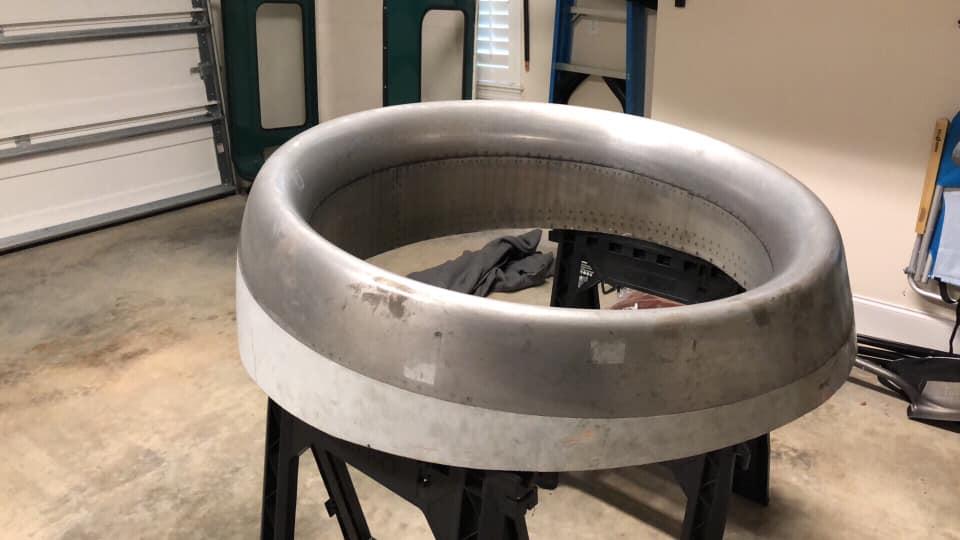
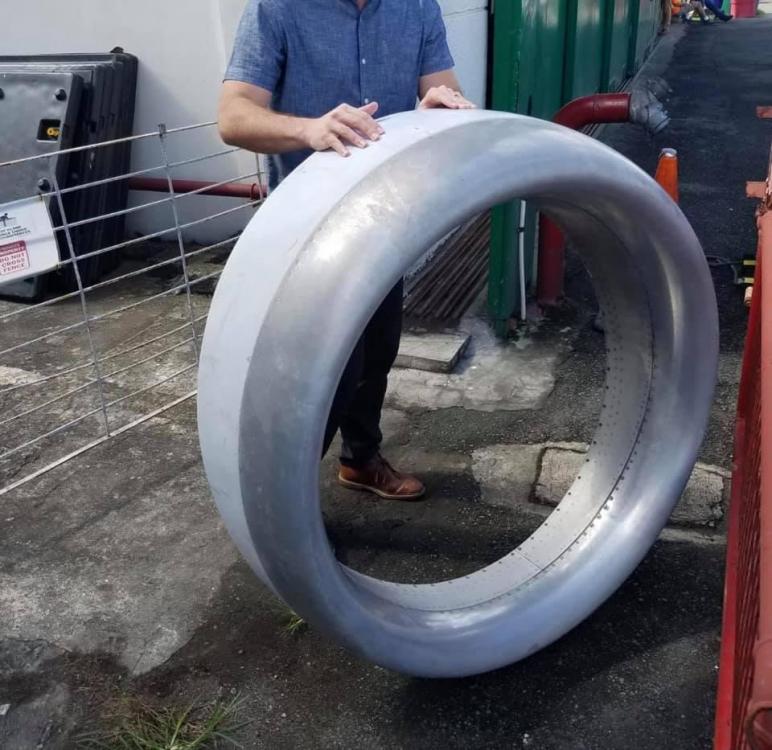
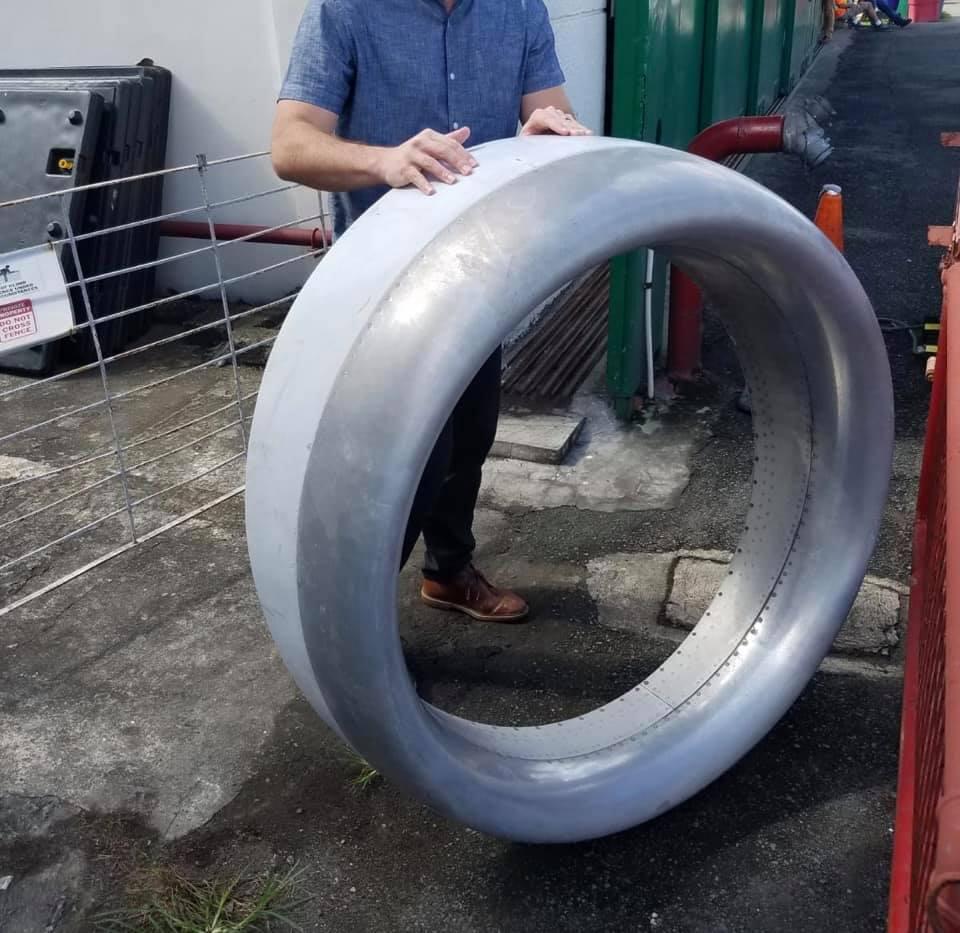
  1. During a deployment last year we parked our plane next to a decommissioned 737 on the other side of the world. Found the owner, bought the cowl, then flew it home at the end of the trip. Planned on turning it into an awesome glass top coffee table or large wall mirror, but we just don't have the space or time for it right now. First $2k takes it. I *may* be able to figure out a way to get it to you via air if you're not in the NW Florida area. Thanks!
  2. jordanlc replied to a post in a topic in Market Place
    Still have this?
  3. Just a shot in the dark here, but I'm at Hurlburt for the rest of the week before heading off to UPT and was wondering if there are any active U-28 guys who would be willing to meet up and shed some light on the mission/airframe? Feel free to PM me, thanks!
Configure browser push notifications

Chrome (Android)
  1. Tap the lock icon next to the address bar.
  2. Tap Permissions → Notifications.
  3. Adjust your preference.
Chrome (Desktop)
  1. Click the padlock icon in the address bar.
  2. Select Site settings.
  3. Find Notifications and adjust your preference.