


Sim
Supreme User
-
Joined
-
Last visited
Everything posted by Sim
-
You called me Russian a Troll from GRU. So it's obviously you're delusional. Nothing will be good enough for you. For the rest that isn't suffering TDS - A "youtuber" is a Trump legal team presenting their case and evidence. An extended discussion on a medium (youtube) is hell of a lot better than 15 seconds bites on legacy media (CNN/FOX/etc).
-
https://www.warren.senate.gov/imo/media/doc/H.I.G. McCarthy, & Staple Street letters.pdf Signed, Elizabeth Warren United States Senator Ron Wyden United States Senator Amy Klobachar United States Senator And then we have; “The November 3rd election was the most secure in American history." - DHS 🤣
-
...I wonder how many folks here support what this insane person says.Trump did that and swamp hated it. https://www.cnn.com/2019/06/13/politics/usda-employees-relocated-kansas-city-perdue/index.htmlAnd here's another take on current elections progress by youtube personality.Honestly, I do not trust anything and anyone unless there is a long track of being factual and correct. I just suggested an easy test to prove and disprove his theory (maybe increase sample size a bit too). The suggested scale of fraud seems just insane. But we've seen insane things in last 4 years. Here's more conspiracy theories. https://rumble.com/vayug5-description-of-hammer-and-scorecard.htmlAnd all can be easily checked. Visit that top heavy GOP small precinct and do a hand recount. There is no "independent" choice. Only Trump Vs Biden.
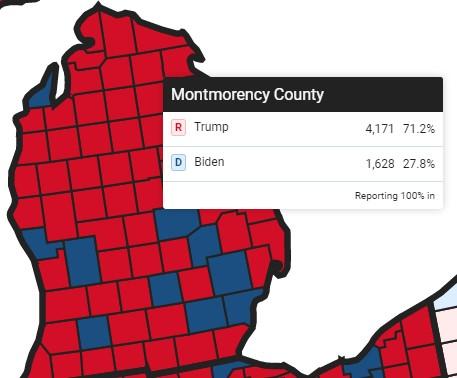 How deep does it go?.....maybe?
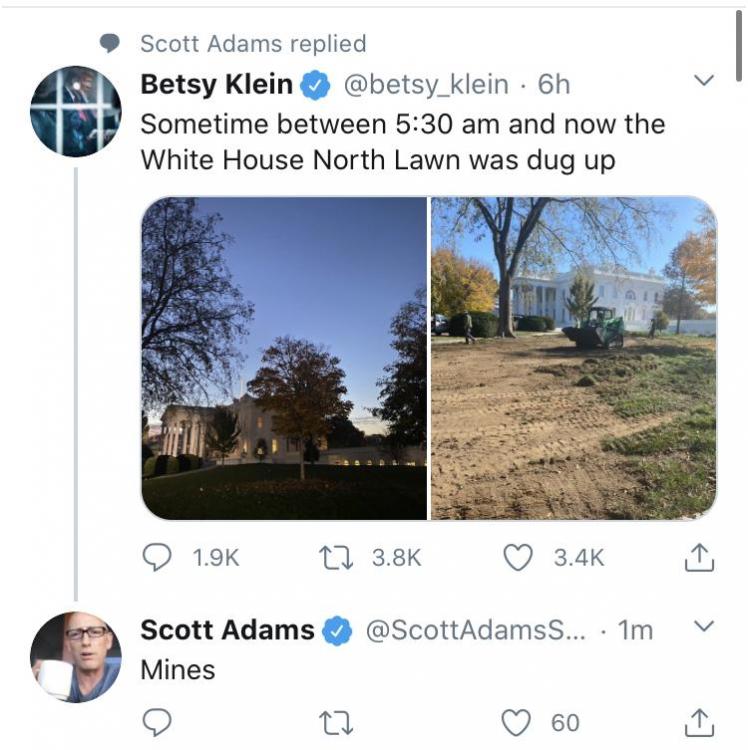
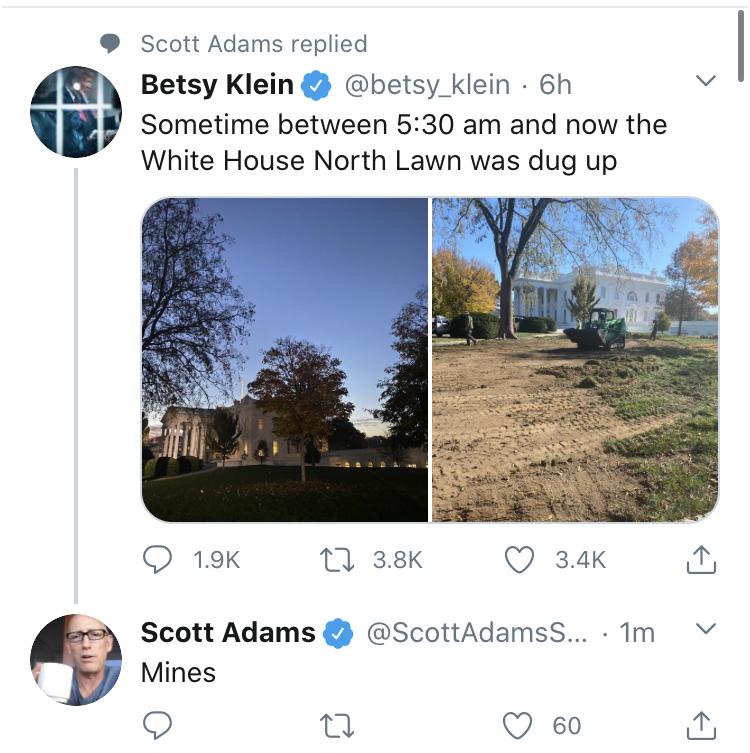
 Shit! Guys, I think Trump is not leaving peacefully! He started mining the white house.
 Cognitive dissonance much? I linked warp speed plan with that company on it. it was part of the plan. If that plan changed, that doesn't make it that it wasn't part of the plan.Vaccine was not part of the plan to fight pandemic? 🤣 https://www.hhs.gov/coronavirus/explaining-operation-warp-speed/index.htmlhttps://nypost.com/2020/11/09/pfizers-covid-19-vaccine-is-more-than-90-percent-effective-company/ Operation Warp Speed is not a plan - according to Biden.https://thefederalist.com/2020/10/26/four-years-later-bitter-hillary-clinton-claims-2016-election-was-stolen-from-her/ Yeah. Class act.More glitches. Opsie again. November 8, 2020</a></blockquote> <script async src="https://platform.twitter.com/widgets.js" charset="utf-8"></script>Opsie. More little glitches. https://justthenews.com/politics-policy/elections/michigan-republican-wins-election-after-county-fixes-glitch-originallyOK. I don't think you know what the word "trolling" means. And I agree with your message above.Interesting. Please educate...?




Account
Navigation
Search
Configure browser push notifications
Chrome (Android)
- Tap the lock icon next to the address bar.
- Tap Permissions → Notifications.
- Adjust your preference.
Chrome (Desktop)
- Click the padlock icon in the address bar.
- Select Site settings.
- Find Notifications and adjust your preference.
Safari (iOS 16.4+)
- Ensure the site is installed via Add to Home Screen.
- Open Settings App → Notifications.
- Find your app name and adjust your preference.
Safari (macOS)
- Go to Safari → Preferences.
- Click the Websites tab.
- Select Notifications in the sidebar.
- Find this website and adjust your preference.
Edge (Android)
- Tap the lock icon next to the address bar.
- Tap Permissions.
- Find Notifications and adjust your preference.
Edge (Desktop)
- Click the padlock icon in the address bar.
- Click Permissions for this site.
- Find Notifications and adjust your preference.
Firefox (Android)
- Go to Settings → Site permissions.
- Tap Notifications.
- Find this site in the list and adjust your preference.
Firefox (Desktop)
- Open Firefox Settings.
- Search for Notifications.
- Find this site in the list and adjust your preference.