Jump to content
View in the app

A better way to browse. Learn more.

Baseops Forums

A full-screen app on your home screen with push notifications, badges and more.

To install this app on iOS and iPadOS
  1. Tap the Share icon in Safari
  2. Scroll the menu and tap Add to Home Screen.
  3. Tap Add in the top-right corner.
To install this app on Android
  1. Tap the 3-dot menu (⋮) in the top-right corner of the browser.
  2. Tap Add to Home screen or Install app.
  3. Confirm by tapping Install.

HeloHawk

Registered User
  • Joined

  • Last visited

Everything posted by HeloHawk

  1. HeloHawk replied to a post in a topic in General Discussion
    Anecdotal, but I've been in a 150' hover over Haines pt due to circling traffic to 33. In my case I was directed by tower to do so and it was daytime. Also anecdotal, but when I was flying in the NCR we were directed to fly as high as the R&Z chart allowed due to never ending noise complaints.
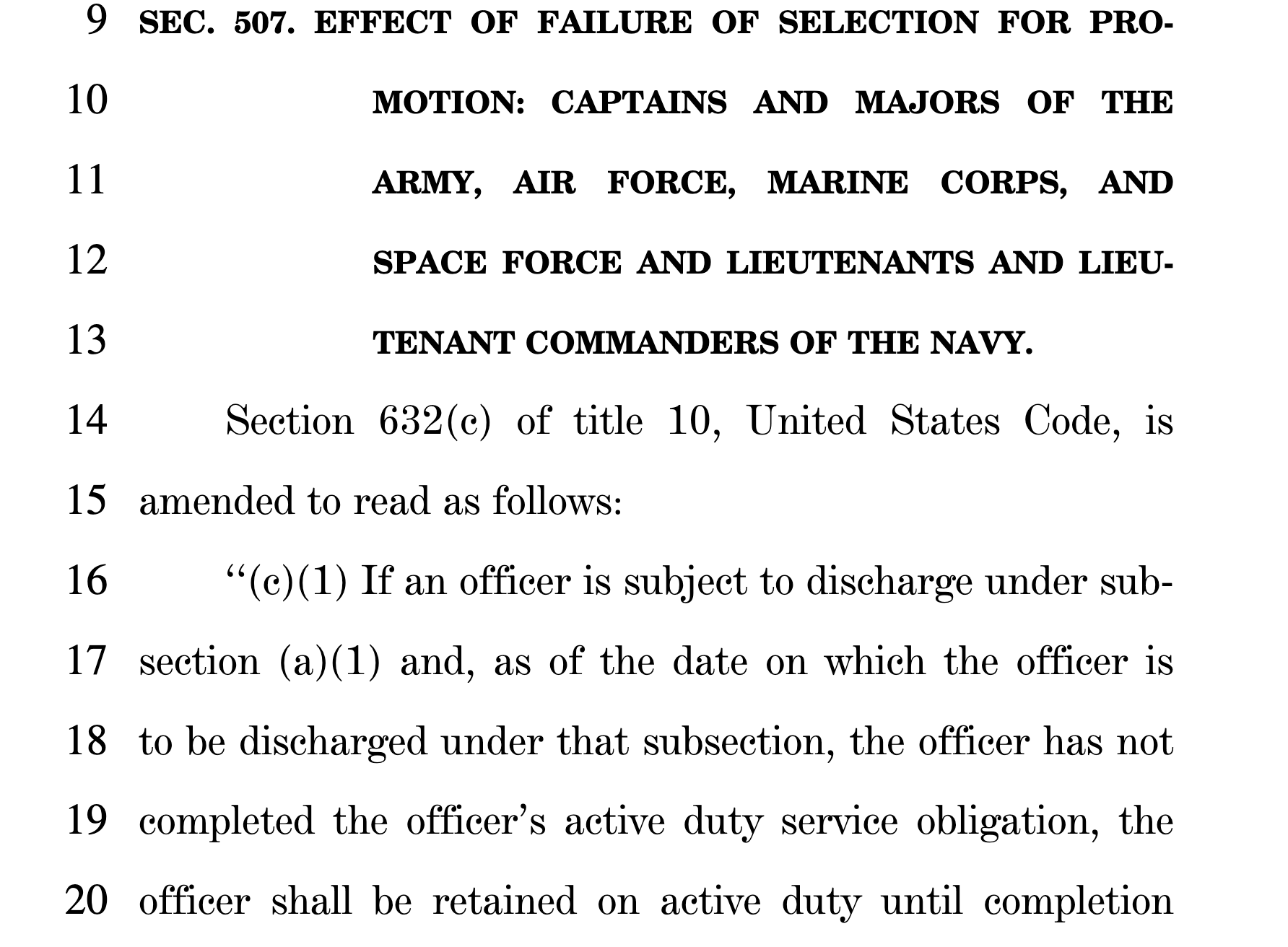
  2. New NDAA for 2025 has the following provision. Looks like there's no more getting out if twice passed over prior to UPT ADSC.

Configure browser push notifications

Chrome (Android)
  1. Tap the lock icon next to the address bar.
  2. Tap Permissions → Notifications.
  3. Adjust your preference.
Chrome (Desktop)
  1. Click the padlock icon in the address bar.
  2. Select Site settings.
  3. Find Notifications and adjust your preference.