FloridaMan26
Registered User
-
Joined
-
Last visited
Everything posted by FloridaMan26
-
Nah dude. They are able pull those from AMS because they’re AFPC so no point in including in the package
-
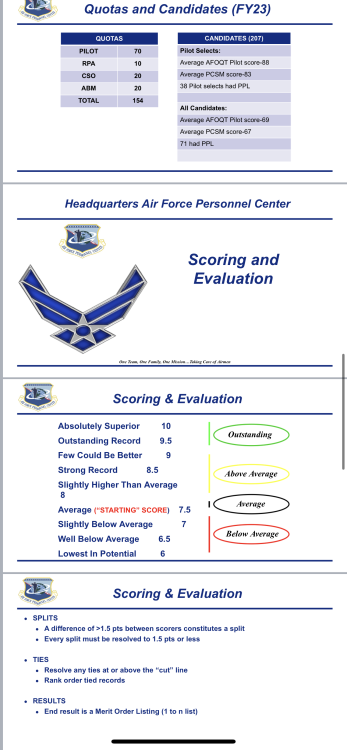
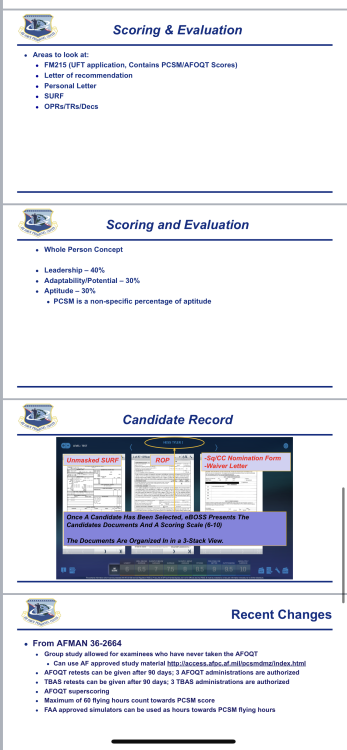
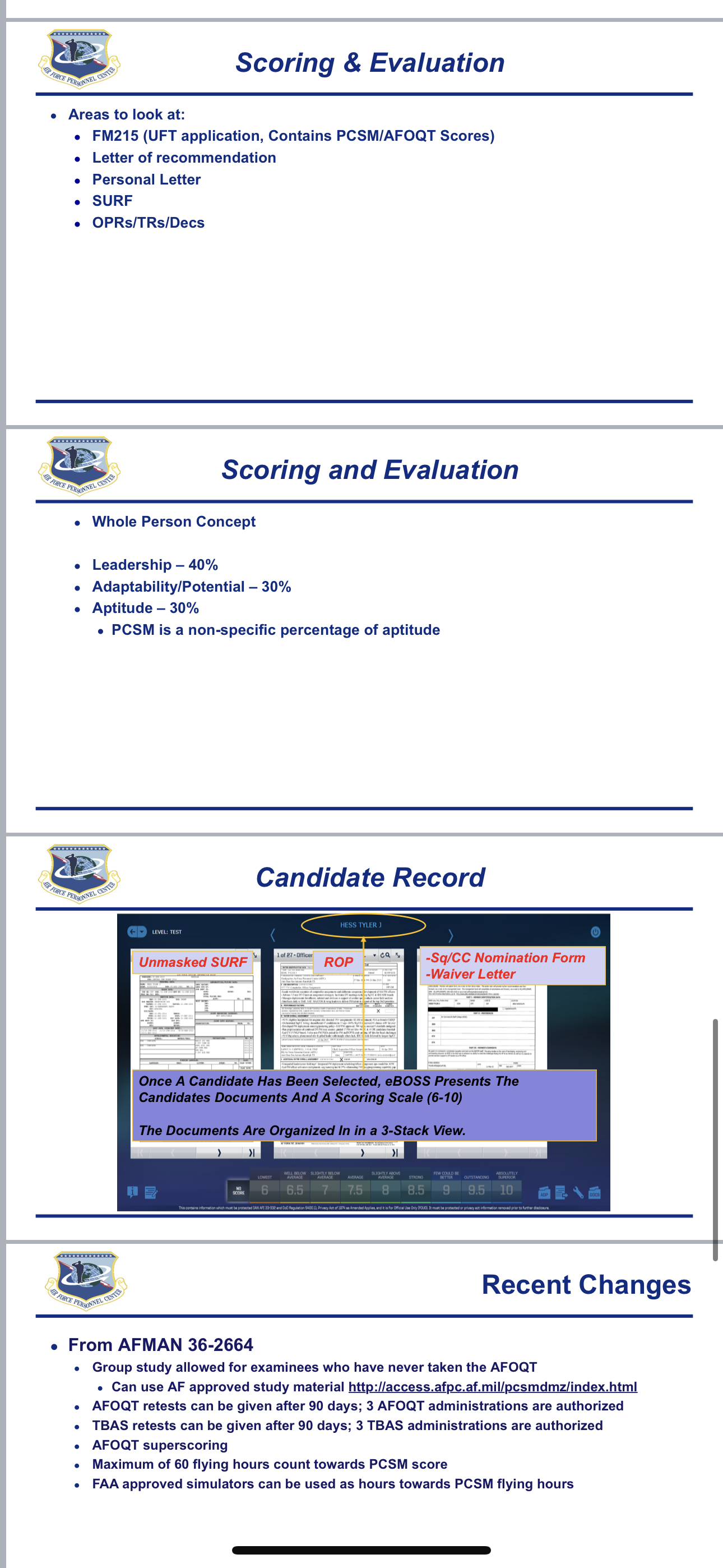
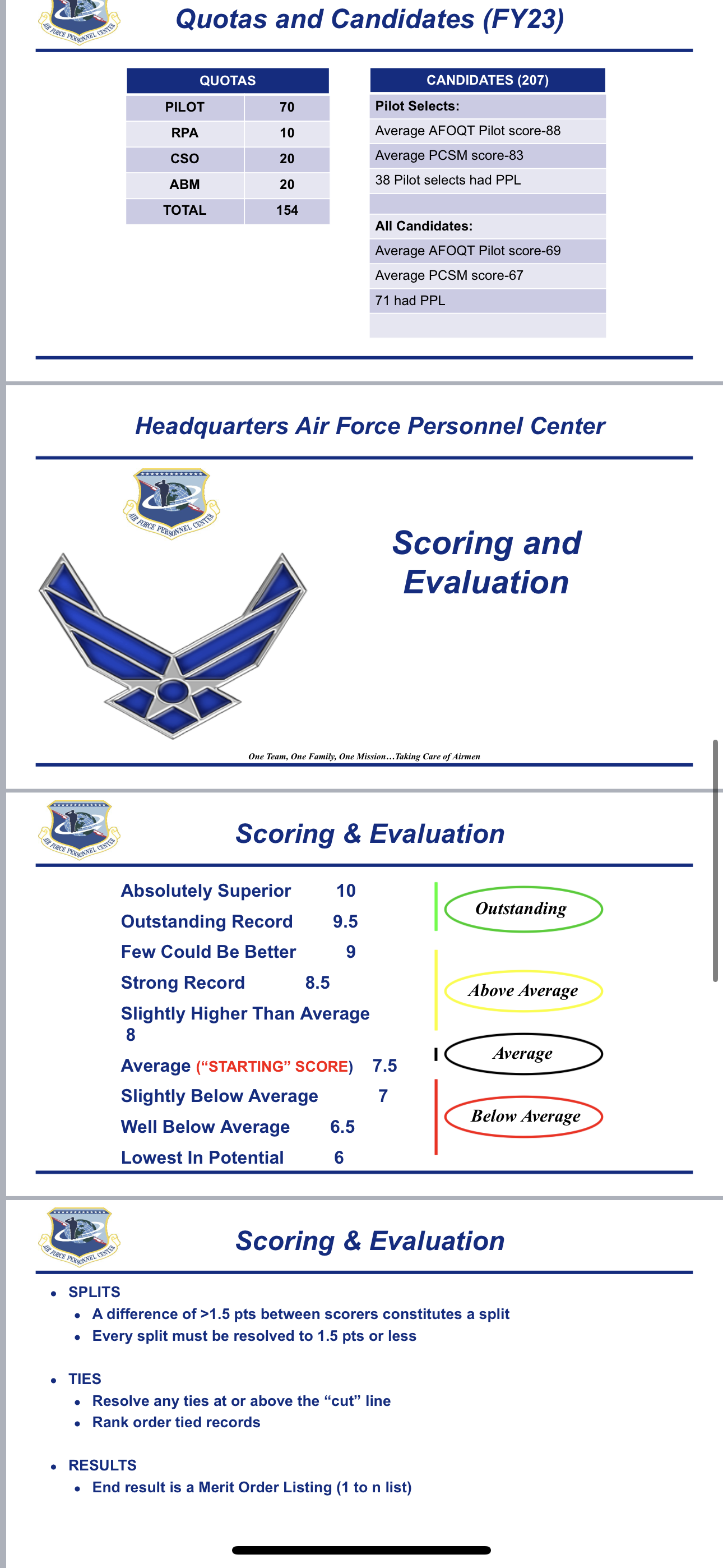
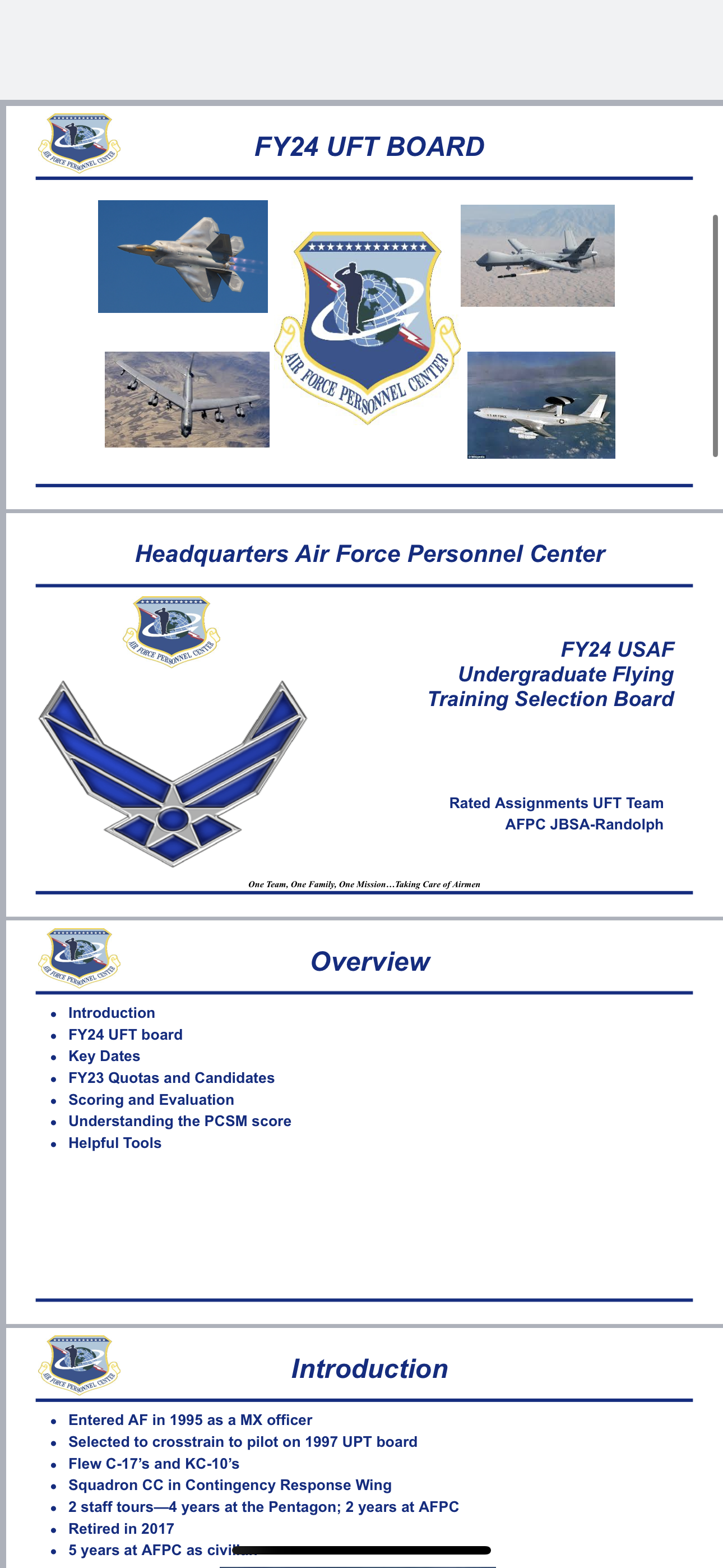
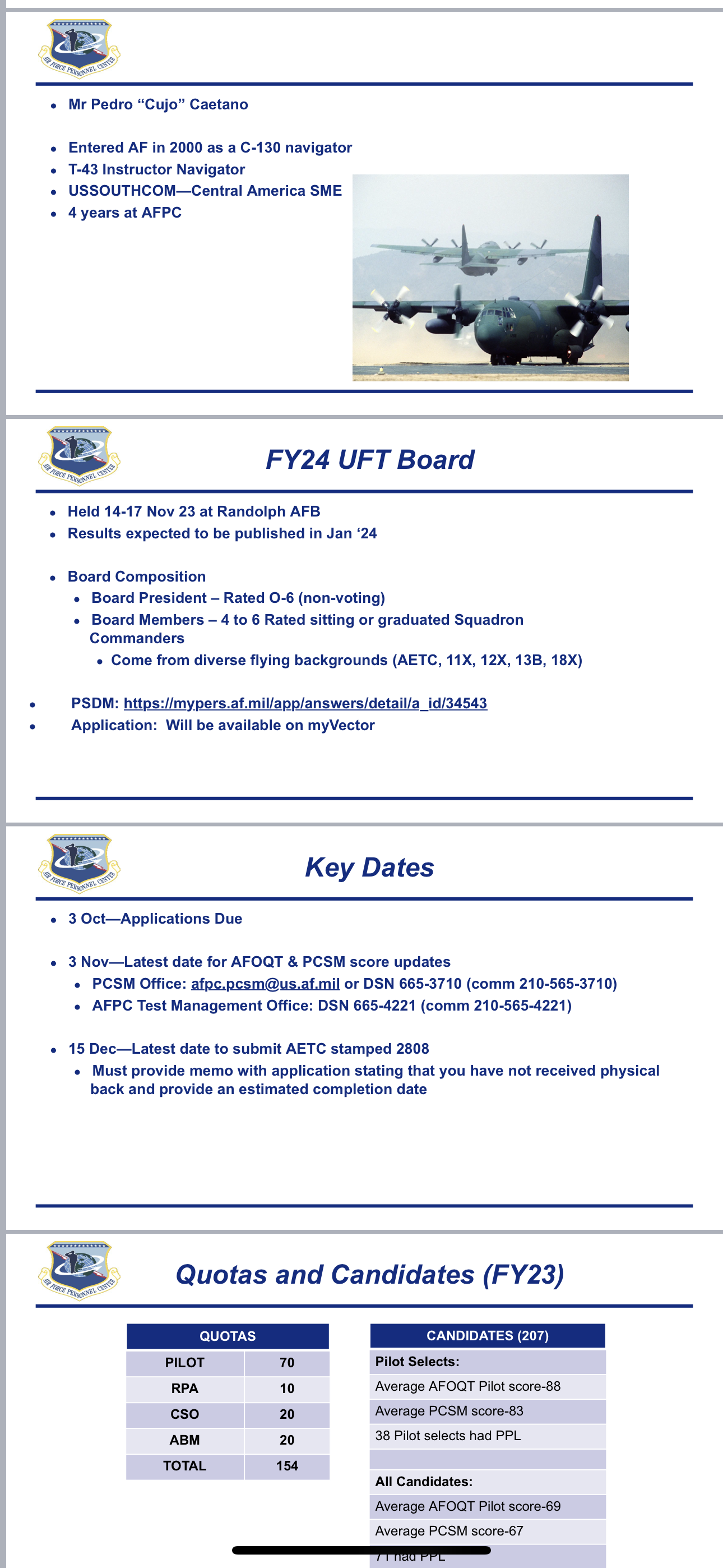
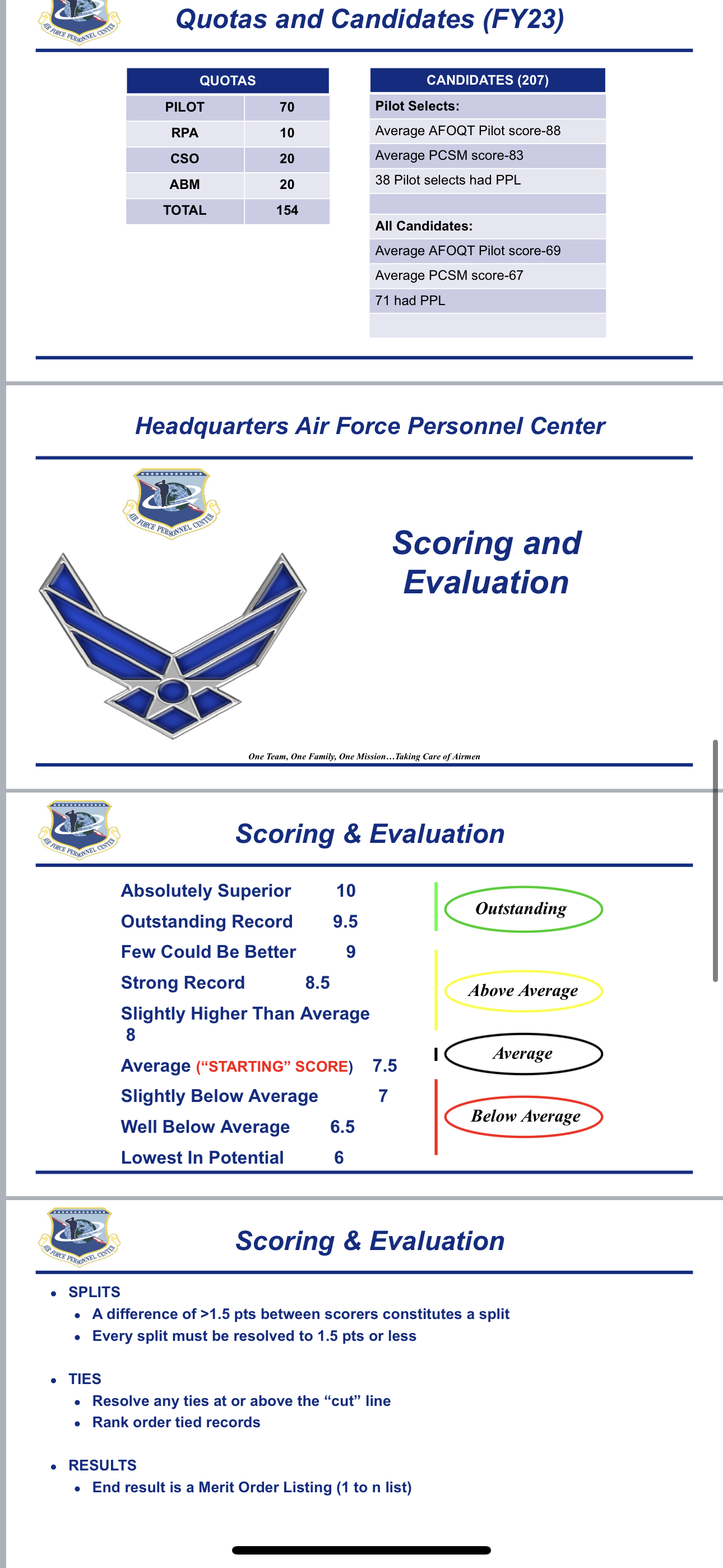
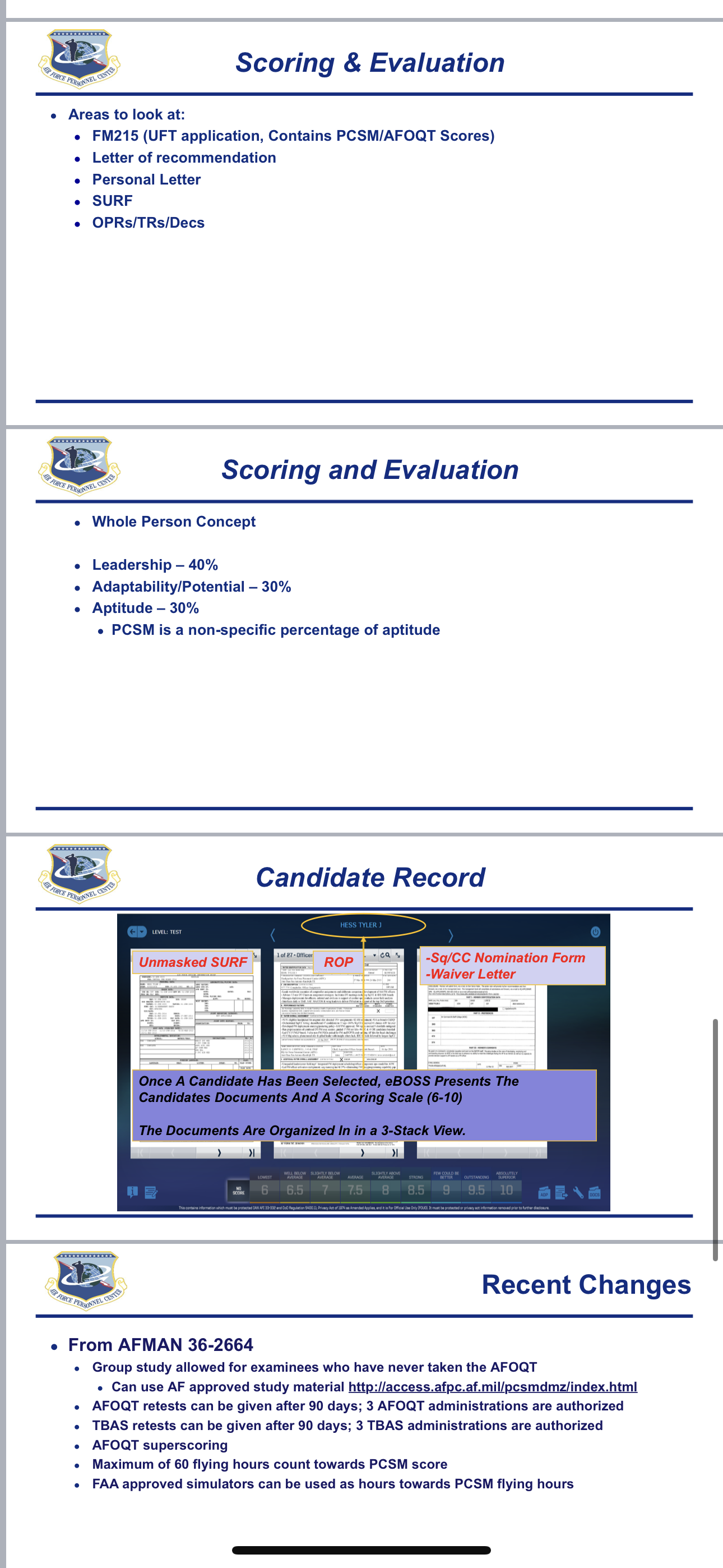
New to the forum. Best of luck to everyone!! Package submitted in Sept 2.8 GPA 94 PFA (first time not getting a 100… I’m still pissed about this lol) 98 AFOQT 97 PCSM 69.4 flight hours (PPL) GP/CC Letter of recLove your optimism QUAG. Personally I have a feast rather than famine mindset & it seems like you do as well! There’s enough room for all of us to get picked up New to the forum and damn y’all are making me nervous about not getting picked up hahah. First year applying and probably the only time for me. Y’alls scores are looking extremely competitive! Package has been submitted: 2.8 GPA 94 PFA (first time not getting a 100… I’m still pissed about this lol) 98 AFOQT 97 PCSM 69.4 flight hours (PPL) GP/CC Letter of rec Butter bar but will be a 1lt when the board results drop. No awards personally but I’ve been a Flt CC for 70 person flight so have a good bit of leadership experience and my team has won a significant amount of awards. I figure I probably have a 50/50 shot at getting picked up since the board seems to favor Captains(85% of selects last year) and every seems extremely competitive at the board already good luck everyone! Attached some slides from this previous “Rated Prep Program” as well to help everyone out