


Helitac
Registered User
-
Joined
-
Last visited
Everything posted by Helitac
-
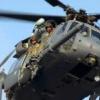
Here are a few for the helo folks.Dug out a few from a flight at Vance for all those going through peelot training.I know these ones are Navy, apart from the SR71 but will scan some more in over the weekend. Here is one from a friend of mine who is CEO of Helinet. They were filming the V22s for a new movie.Have had a few PMs from guys here asking me to post some of the shots I have taken over the years so thought I would get this post started. Hope thats ok with other members here. Have been shooting military and civil aviation for number of years. Enjoy the pics.

Account
Navigation
Search
Configure browser push notifications
Chrome (Android)
- Tap the lock icon next to the address bar.
- Tap Permissions → Notifications.
- Adjust your preference.
Chrome (Desktop)
- Click the padlock icon in the address bar.
- Select Site settings.
- Find Notifications and adjust your preference.
Safari (iOS 16.4+)
- Ensure the site is installed via Add to Home Screen.
- Open Settings App → Notifications.
- Find your app name and adjust your preference.
Safari (macOS)
- Go to Safari → Preferences.
- Click the Websites tab.
- Select Notifications in the sidebar.
- Find this website and adjust your preference.
Edge (Android)
- Tap the lock icon next to the address bar.
- Tap Permissions.
- Find Notifications and adjust your preference.
Edge (Desktop)
- Click the padlock icon in the address bar.
- Click Permissions for this site.
- Find Notifications and adjust your preference.
Firefox (Android)
- Go to Settings → Site permissions.
- Tap Notifications.
- Find this site in the list and adjust your preference.
Firefox (Desktop)
- Open Firefox Settings.
- Search for Notifications.
- Find this site in the list and adjust your preference.